Forbo Movement Systems Sales Portal
- Home
- / Forbo Movement Systems Sales Portal
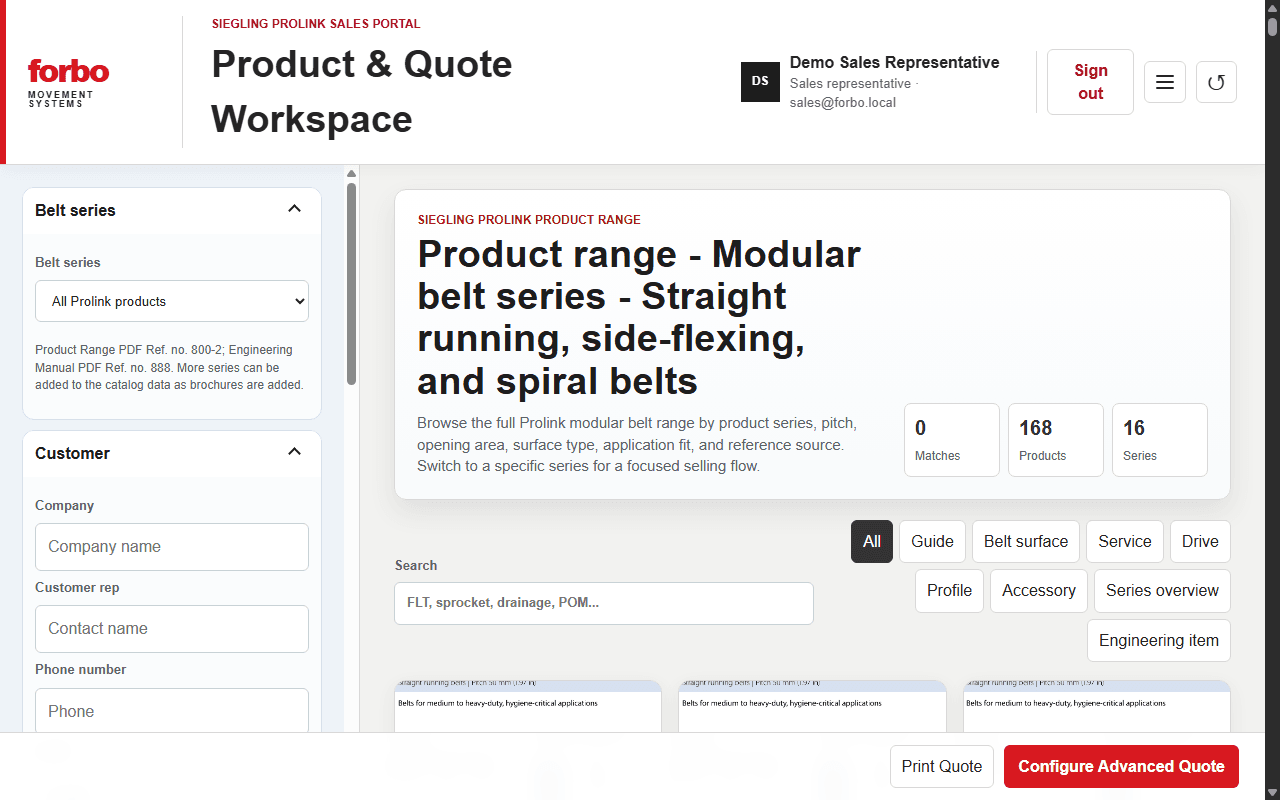
Forbo Movement Systems Sales Portal
This internal sales portal brings customer records, purchase history, product comparison, conveyor configuration, engineering references, and draft quote workflows into one secure workspace backed by Express and MongoDB.
Demo source / 6e175bfb
Exact repository front end with browser-local customer and quote data.
Highlights
- Authenticated customer lookup and quote history
- Product configuration and pull-force estimation
- Draft quote storage, print output, and JSON export
Run Locally
- 1Copy .env.example to .env and configure MongoDB and sales accounts
- 2Run npm install, then npm start
- 3Open http://localhost:3000 and sign in
Case Study
Problem
A salesperson on the go needs to bridge the gap between the service / product a customer was specified and the product to recommend — then hand a clean quote to the person who handles billing.
Constraints
- Field use on phone / tablet
- Engineering data from manuals, not guesswork
- Draft quotes must be savable to a customer record
- Billing needs a file, not just a screen
Decisions
- Express 5 + MongoDB / Mongoose with secure cookies for authenticated customer lookup and quote history
- Product comparison and conveyor configuration in one workspace
- Pull-force estimation alongside the quote, not in a separate calculator
Outcome
One workspace for customer records, purchase history, product selection, configuration, engineering references, and draft quotes. No measured time-saved outcome is claimed here.
Demo limits
The portfolio demo uses browser-local customer and quote data. It does not connect to a production database or real customer records. Export in the live app is currently browser Print and JSON download, plus Save to MongoDB — direct PDF / Excel billing export is a known next step.
Next step
Direct PDF and Excel/CSV billing export, and a simplified mobile field flow (customer & needs, products, selected, send to billing) so the workspace does not show every section at once.